Some months back I started the "Points of Interest" item at the left. It is basically a linkblog and provides a way to make pointers for things that might be interesting to readers for which I'm not going to take the time for a full post. The setup is quite simple.
Google Reader
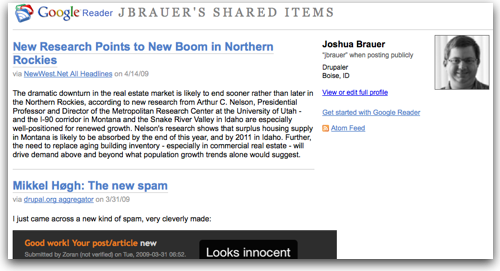 In my case it started with Google Reader. I had begun using it as my primary RSS reader and found the "Share" feature to be handy. Even handier is that the items that have been shared are put into their own RSS feed. Click on "Shared Items" in Google Reader and you've got the URL handy. To begin with I created a feed in the Drupal Aggregator to create a subscription to Google Reader's Shared Items that I called "Recent Reads".
This is great for items that come through my news-reader. As you can see by comparing the volumes of posts this is how I get most items. But there are often things of interest on the web that don't come across my RSS feeds. del.icio.us comes in handy for these items.
del.icio.us
I setup a bookmarklet so I can with a click bookmark any page I encounter. Then I added a single tag, in this case "au" for any item I wanted to have appear in the feed. Using Drupal's aggregator I again subscribed to the RSS feed that del.icio.us creates for all items I've tagged au. Finally I created a category called "Recent Reads" in the Drupal Aggregator and set all posts from Google Reader and del.icio.us to have the category assigned automatically.
The same methods could readily be used to create an "In the news" section for most organizations. It could go one step further if the organization is willing and rely upon unmanned searches but most companies will find the editorial control of having human eyes read the posts before adding them to the list valuable.
To turn the feed into a block just takes a trip to the Drupal administrative interface and turn on the block for the category you've created.