Photography

Feb
20
2012

Using iPad to hold your photos while on vacation

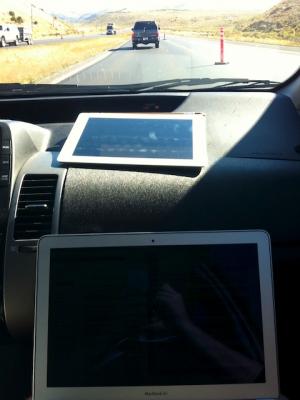
Working on computer on the roadA family member recently sent a question to my wife about how to keep photos safe while traveling.

And speaking of road trips, we are heading to Hawaii and are planning on getting an iPad for entertainment along the way. We are wondering if you have used your iPad as a photo transfer station from your EyeFi card to your iPhoto at home. Does it work that way? We don't have a laptop, so we were thinking an EyeFi card would allow us to take pictures and upload them to our iPad (and ultimately our computer) for safe keeping. Or, would we be better off taking the card to the local Costco to get a cd made to make sure we have the pics safe and sound? Thank you for any insight you might be able to offer.

This is a workflow I've spent quite a bit of time on over the years. My thinking is definitely affected by two instances of losing photos I'd really like to have back.

The first instance where I lost photos was years ago on a business trip to Wichita of all places. I'd taken some photos on the plane as well as some pretty nice sunset photos. I'd reviewed them on the camera's (tiny by modern standards) screen and shared them with colleagues on the trip. When I downloaded the photos I didn't notice that the card was evidently corrupted in some way and only a portion of the photos were saved to the computer. Thinking that all was well the card was formatted and I went on shooting. Had I caught it in time I could have likely used some card recovery software and gotten back at least some of the photos.

Nov
1
2010

Photographing the White House

Last week brought a great Open for Questions session with Pete Souza the White House photographer. It is one of my favorite sorts of pieces giving a nice look into what working at a place as unique as the White House and how still images can do so much to show the human side of what such a revered place.

So here's a look at this great talk:

Apr
16
2006

NEF, Photoshop and Nikon Scans

Almost two weeks ago I wrote about problems with Nikon NEF format scans and Photoshop CS2. The problem was that the scans wouldn't work in Photoshop or Apple's Preview etc.

Today I found the solution. Downloading and installing Nikon View 6.2.7 enables Photoshop CS2 to open and work with Nikon scanner raw (NEF) images. With Photoshop now able to work with the images it's a short trip to Adobe Bridge and an automatic workflow.

Apr
4
2006

Say it is not so...

Having just received a book full of DVD's, each with scanned rolls of film from yesteryear I ran home to open them up in Photoshop. It appears Photoshop CS2 cannot open Nikon's .nef format raw scans. The article above explains that different "NEF" files, Nikon's raw camera format, are well, different. It seems neither Preview nor Photoshop can open the images.

Earthbound Light has a good piece that goes on to explain why one need not use Nikon Raw (NEF) format from scanners to begin with.

Mar
21
2006

Snowy spring

The first night of Spring 2006 brought snow to the desert southwest. At lower elevations the snow took the form of rain more frequently than snow but it was beautiful and refreshing all the same.

A series of accidents on Columbia Pass and the closure of Columbia Pass as well as State Route 160 near Mountain Springs meant a morning spent at home. The sights of the first day of Spring in Sandy Valley are much better than those from my office.

Feb
2
2006

The future of photography

Today's New York Times has an article suggesting the end of the megapixel race may be near. The article points out that at the 8 megapixel resolution of many point-and-shoot digital cameras on the market today, the average user can easily create a print large enough for display at home.

Syndicate content